
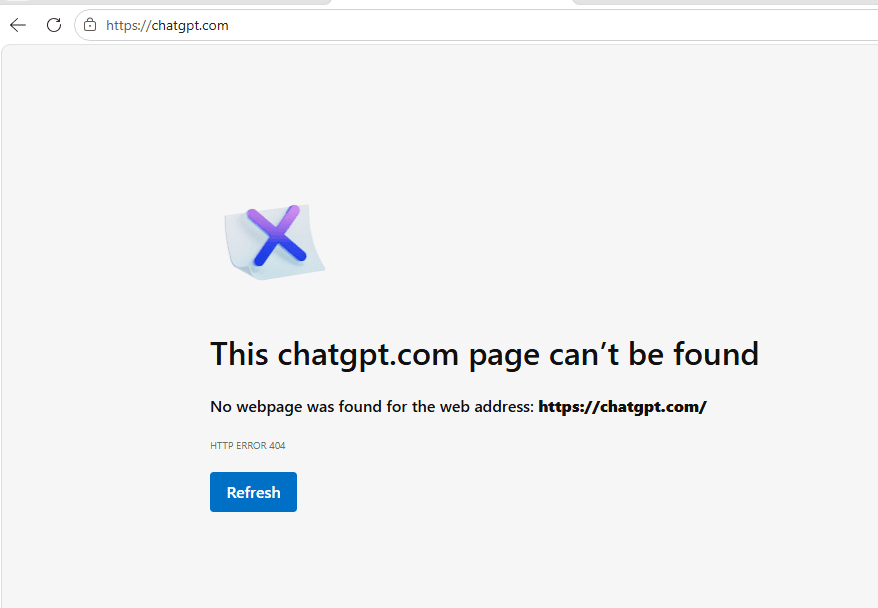
ChatGPT is down: Why are users seeing HTTP 404?
On September 3, 2026, some users opening chatgpt.com may see a blank screen, broken links, or an HTTP ERROR 404 message instead of the ChatGPT interface. OpenAI’s official status page is reporting an incident affecting ChatGPT and Codex, with the issue under investigation.
What does 404 mean here?
HTTP 404 usually means that a server could not find the resource requested by the URL. On an ordinary website, the cause may be a mistyped or deleted path. On a large service such as ChatGPT, however, a 404 can also appear at the routing, CDN, reverse-proxy, or session layer while part of the system is failing.
One distinction matters: a 404 does not automatically prove that your account was blocked, your browser is broken, or your conversations were deleted. It only says that the current request did not receive a resource at that address.
This incident also needs to be separated from a local network problem. If OpenAI Status is reporting a ChatGPT incident, a service-side problem becomes more likely. If only one computer fails while a phone and another network work normally, check the local environment first.
You can compare related troubleshooting posts in KizeTech’s technology category.
When the status page shows an incident, treat it as a service problem before changing local configuration.
Quick checks
1. Check the official status page
Open status.openai.com in a separate tab. Check the ChatGPT component and the incident history. Use this as the primary confirmation source; social posts may lag behind the incident or combine unrelated failures.
2. Inspect the HTTP response
Run these commands in PowerShell:
curl.exe -I https://chatgpt.com/

Resolve-DnsName chatgpt.com
Test-NetConnection chatgpt.com -Port 443
The result can vary by time and network provider. An HTTP/1.1 404 or HTTP/2 404 response means that the request reached a server, but the route did not return the resource. If DNS resolution fails or port 443 cannot connect, the issue may be DNS, a firewall, a VPN, or the current network rather than an OpenAI outage.
3. Try a private window and a new session
Open an Incognito or Private window and visit the site again. If it works there, an old cookie or session token may be pointing at an invalid route. Clear site data for chatgpt.com only, sign in again, and retry.
Do not clear the entire browser profile immediately. That removes unrelated sessions without helping identify the cause.
Fixes worth trying
Switch networks to rule out a local issue
Turn off a VPN or corporate proxy briefly, then test with a phone hotspot. Some VPNs keep an old DNS answer or route, sending the request to an edge server that does not serve the expected application version.
If the hotspot works while Wi-Fi fails, inspect the Wi-Fi network’s DNS and firewall. If both networks return 404 while status.openai.com reports an incident, changing DNS may only add noise; the service-side route is more likely to be broken.
Do not repeat sign-in attempts endlessly
When a system is unstable, constant refreshing or repeated sign-ins can add rate-limit errors, failed authentication callbacks, or mismatched sessions. Record the time, URL, and error code before trying the next step.
Check the exact URL
Use https://chatgpt.com/ and avoid old bookmarks saved at a different point in the service’s routing history. A URL with an obsolete path or callback can return 404 even after the homepage is working again.
An easy-to-miss edge case: a proxy-generated 404
On a corporate network, a security proxy can create its own 404 page when it cannot reach the upstream service. Look for server, via, or other headers that identify the proxy vendor rather than OpenAI’s infrastructure.
Save the response so you can compare two networks:
curl.exe -L -D .\chatgpt-headers.txt -o .\chatgpt-page.html https://chatgpt.com/
Get-Content .\chatgpt-headers.txt
If the headers and error page differ substantially between corporate Wi-Fi and a hotspot, send a redacted result to the network administrator. Do not include cookies, authorization headers, or session tokens.
A minimal incident record can be stored as JSON for comparison:
{
  "service": "chatgpt.com",
  "checkedAtUtc": "2026-09-03T14:56:00Z",
  "url": "https://chatgpt.com/",
  "httpStatus": 404,
  "network": "home-wifi",
  "vpnEnabled": false,
  "headersFile": "chatgpt-headers.txt"
}
Keep cookies, tokens, and conversation content out of this file.
Does this mean conversations are gone?
A 404 page is not enough evidence that data has been lost. It reflects the current request. During an incident, however, avoid creating repeated copies or making constant edits to the same content while synchronization may be unstable.
After the service recovers, check conversation history, Custom GPTs, and uploaded files. If something is still missing, use the OpenAI Help Center and include the time, browser, network, URL, and a screenshot of the error.
- “ChatGPT outage support”
When should you wait?
If status.openai.com reports an incident and the same result appears across several networks, waiting for an OpenAI update is reasonable. No PowerShell command can repair a route that is broken on the server side.
In the meantime, keep work in a local draft. Do not paste API keys, customer data, or private documents into a replacement tool simply because the primary service is unavailable.
Short conclusion
An HTTP 404 while opening ChatGPT may come from a service-side route, but cookies, an old URL, DNS, a VPN, or a proxy can produce similar symptoms. Check the status page first, inspect the response with curl.exe, test another network, and preserve useful diagnostics. If OpenAI is investigating an incident, the practical move is to wait for the official channel instead of refreshing forever.
Source code
This post has no separate application source code. The source is kept in a private repository; contact the author if access is needed.


